Find equipment on the Levels drawing
Use the Levels drawing in Site Monitor to see a building floor by floor with the units that serve each floor, then open a level or unit for its readings today.
Before you start
- Levels set up for the building, each with a floor number. See Set up levels and zones.
Steps
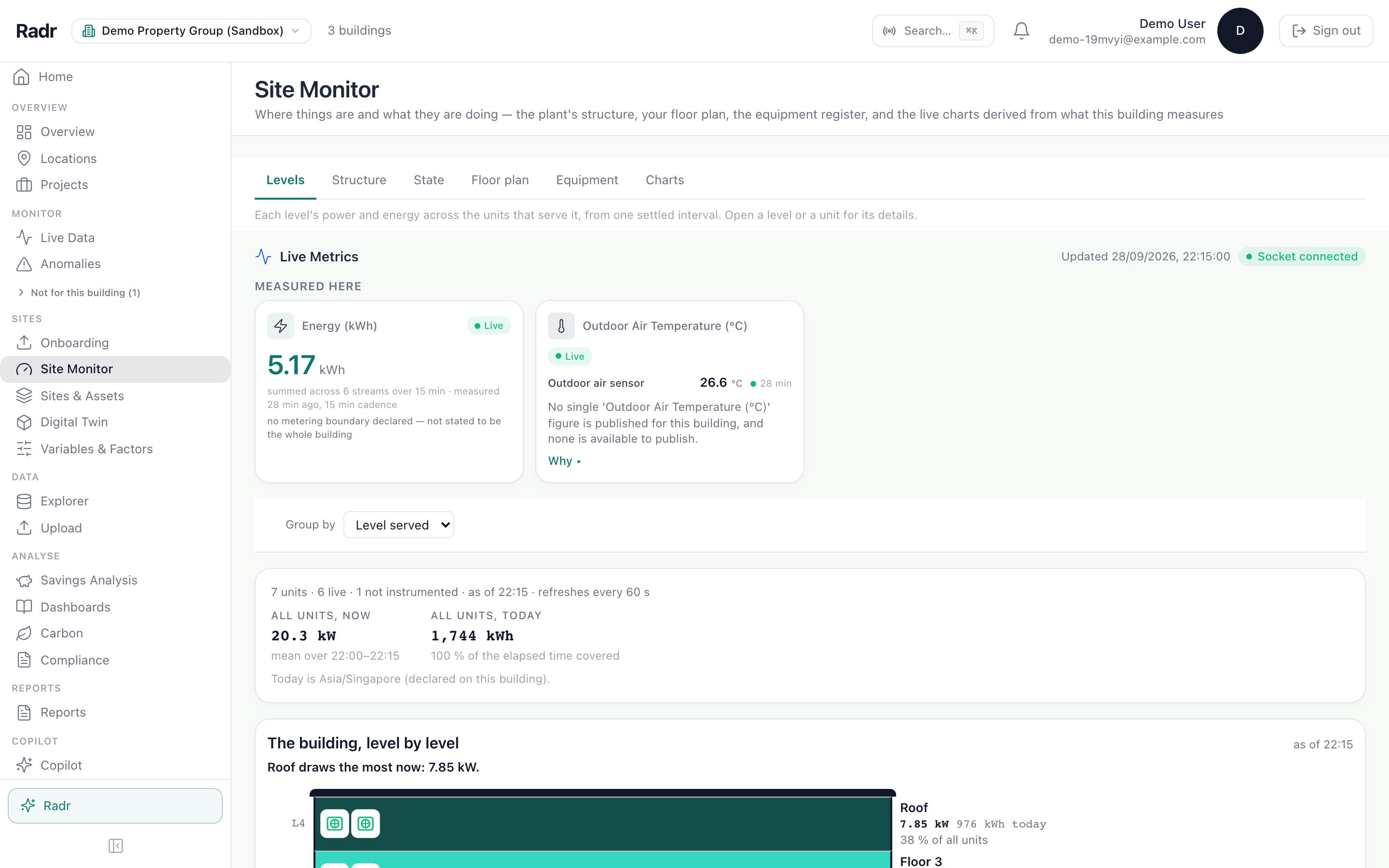
Step 1: Open Site Monitor and choose Levels
Under Sites, choose Site Monitor. It opens on the building chosen on Overview or Live Data. Choose the Levels tab.
Step 2: Read the drawing
The building, level by level draws each floor with a mark for every unit that serves it, shaded by what it is doing now. A unit that serves several floors sits in a band of its own.
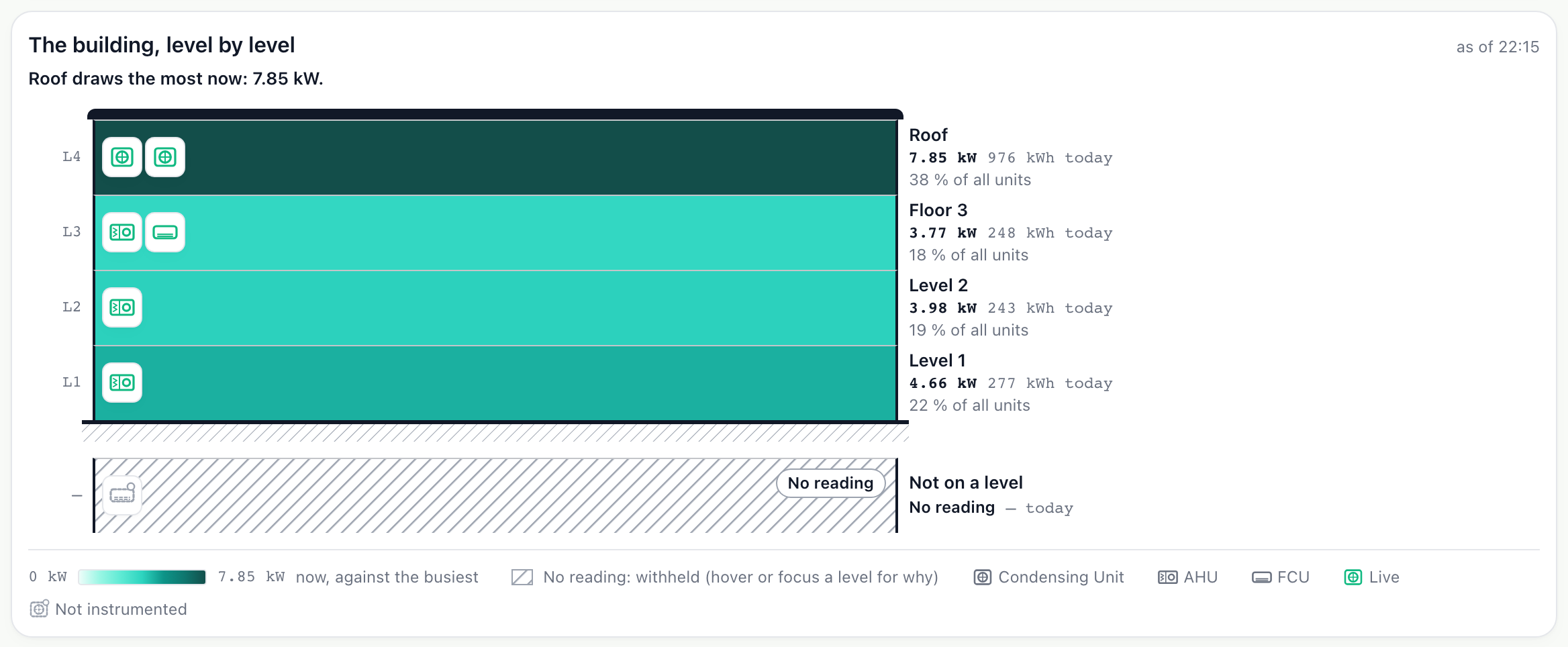
- Each row is a level; each mark on it is a unit serving that level.
Step 3: Open a level
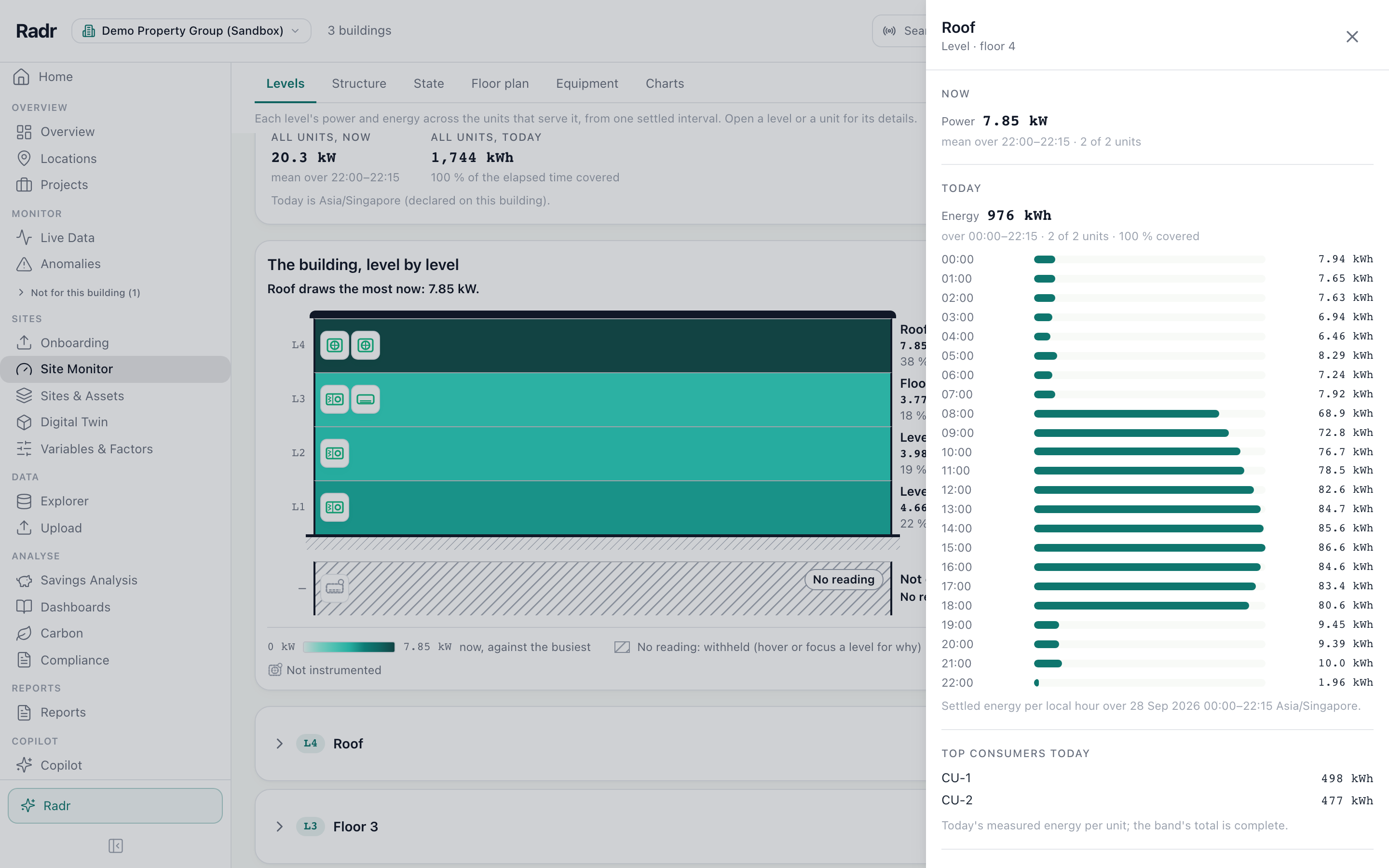
Choose a level to open its details: what it has used today, its biggest consumers and its units. Choose a unit for its state, its last seven days and any retrofit recorded against it.
What you’ll see
- Units with no recent reading are shown as not reporting, not as idle.
- Edit in Sites & Assets and Chart in Explorer in a unit’s details take you to its set-up and its readings.
Troubleshooting
- Levels says there is nothing to draw.
- Give each level a floor number in Sites & Assets, and place each unit’s system in the level it serves.
- A unit sits under Not on a level.
- Its system has no room or level. Edit the system and choose one.
Last verified against Radr on 28 September 2026. Screenshots show the real product with a simulated estate; every name and reading in them is invented.
Set up levels and zones
Add a building’s levels and rooms in Sites & Assets, give each level a floor number, and place systems in them so the Levels drawing shows where everything is.
AssetsWatch live readings
Follow a building’s readings as they arrive in Live Data: the latest value from each instrument, the last day drawn as charts, and every machine with its state.
MonitoringCompare your locations
See every building at once in Locations, grouped by region, country or type and placed on a map with its energy and open alerts, then open any one for the detail.
MonitoringStuck on a step?
Tell us which guide and which step, and we will help, then fix the guide.