Record a retrofit on equipment
Record work done on a machine, such as a coil clean or a replacement, with the date and what the record rests on, so analysis can tell before from after.
Steps
Step 1: Edit the machine
In Sites & Assets, open the machine’s system, hover over the machine and choose Edit equipment. Retrofits is at the foot of the panel.
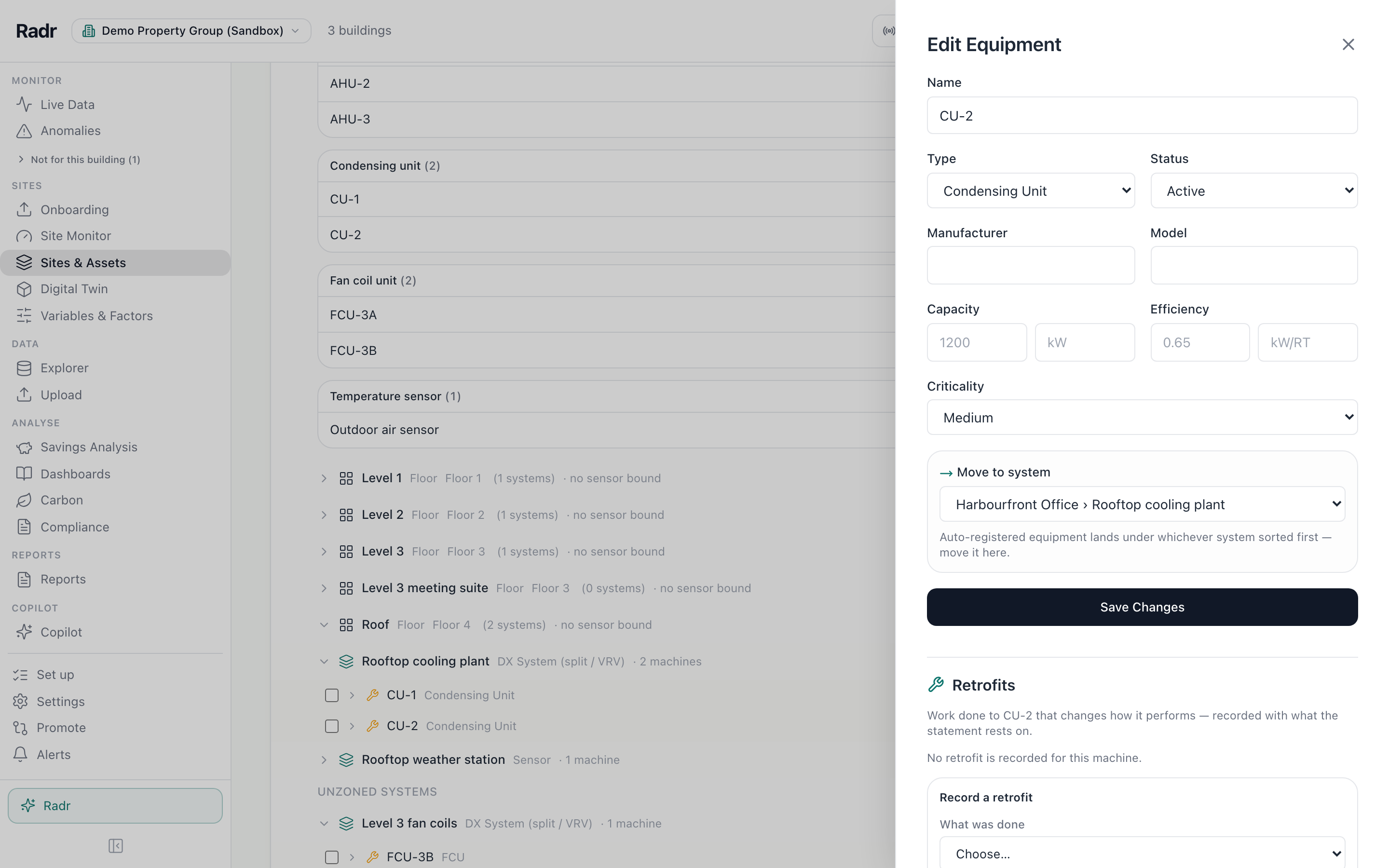
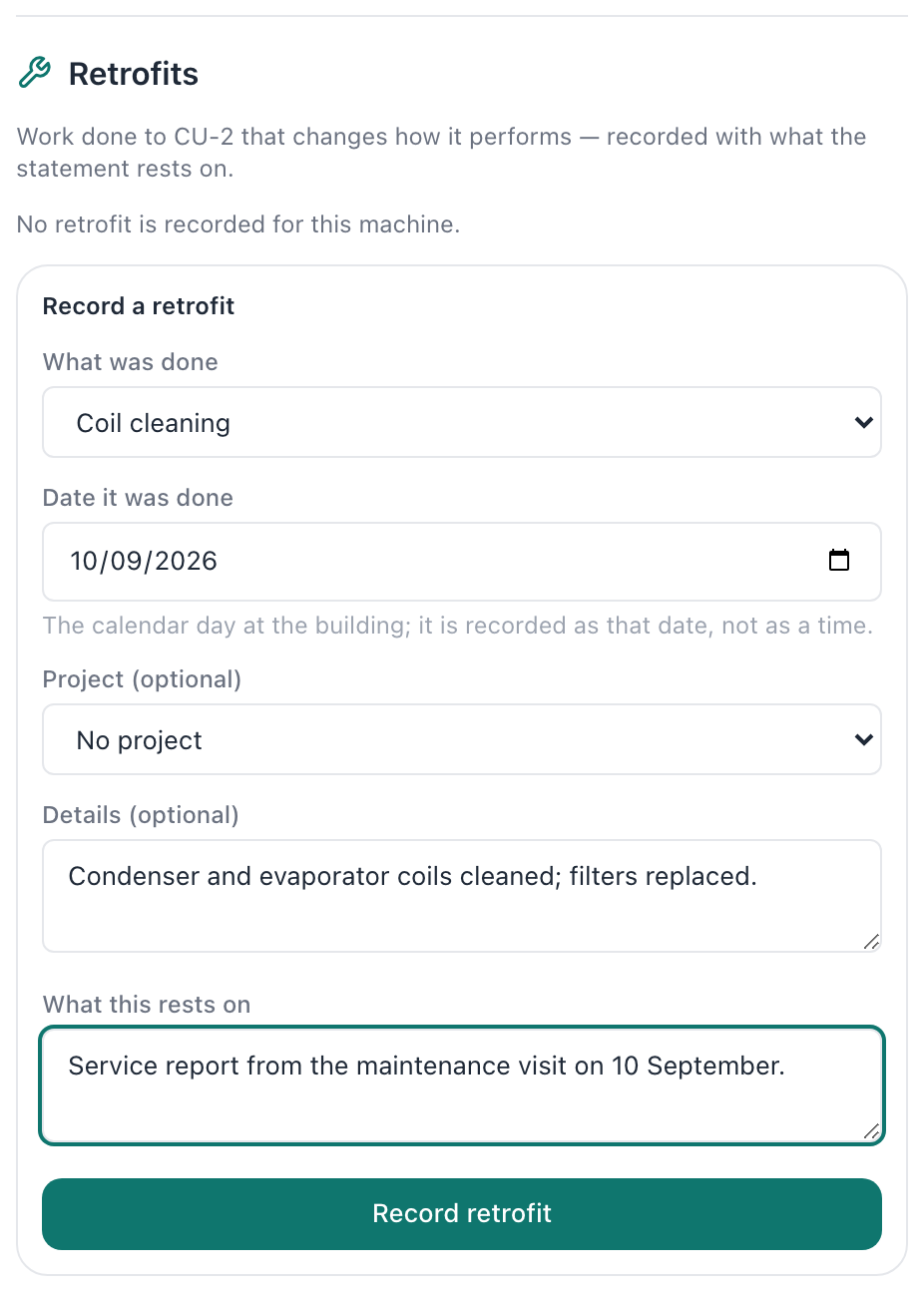
Step 2: Describe the work
Under Record a retrofit, choose what was done and the date, link a project if there is one, and describe it. What this rests on says where the record comes from, such as a service report.
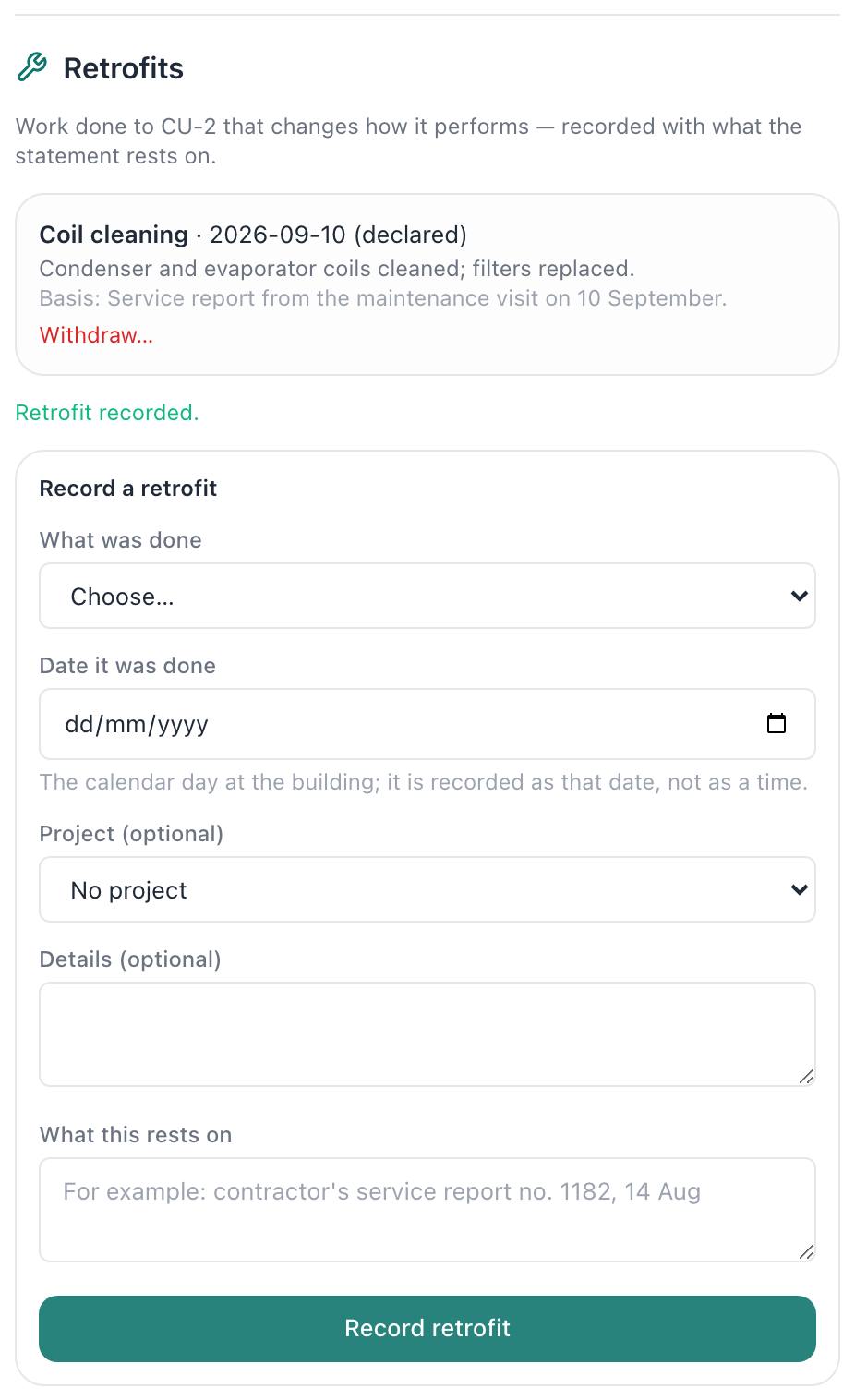
Step 3: Record it
Choose Record retrofit. It is listed against the machine with its date, and appears in the machine’s details in Site Monitor.
What you’ll see
- Analyses of the machine can compare the period before the work with the period after it.
Troubleshooting
- Record retrofit is refused.
- Say what the record rests on, in a sentence or more.
Last verified against Radr on 28 September 2026. Screenshots show the real product with a simulated estate; every name and reading in them is invented.
Add equipment and its data points
Add a system and its equipment to a building in Sites & Assets, then register what each machine measures, so every reading is attributed to the right machine.
AssetsEstablish a baseline
Fit a baseline for a building in Savings Analysis: declare when it is occupied, apply a methodology card, fit it over a window and read the verdict it earns.
Savings and M&VFind equipment on the Levels drawing
Use the Levels drawing in Site Monitor to see a building floor by floor with the units that serve each floor, then open a level or unit for its readings today.
MonitoringStuck on a step?
Tell us which guide and which step, and we will help, then fix the guide.