Add equipment and its data points
Add a system and its equipment to a building in Sites & Assets, then register what each machine measures, so every reading is attributed to the right machine.
Steps
Step 1: Open the building in Sites & Assets
Choose Sites & Assets and choose the building to expand it. Hover over its row to see its actions.
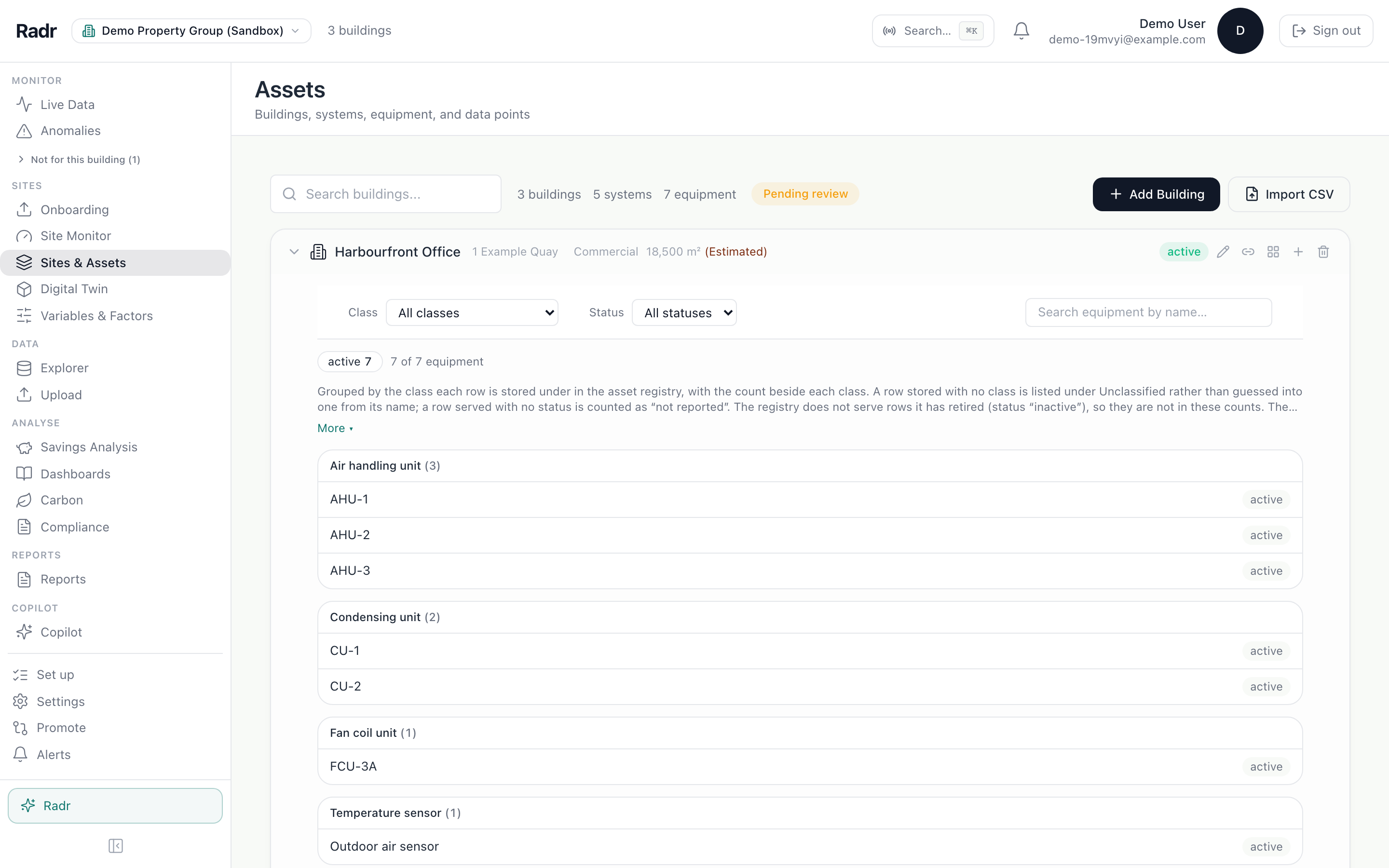
Step 2: Add a system
On the building’s row, choose Add system. Name it and choose its type, then choose Add. A system groups the machines that work together, such as a split air-conditioning system.

Step 3: Add a piece of equipment
On the system’s row, choose Add equipment. Name the machine as it is labelled on site, choose its type, and choose Add.

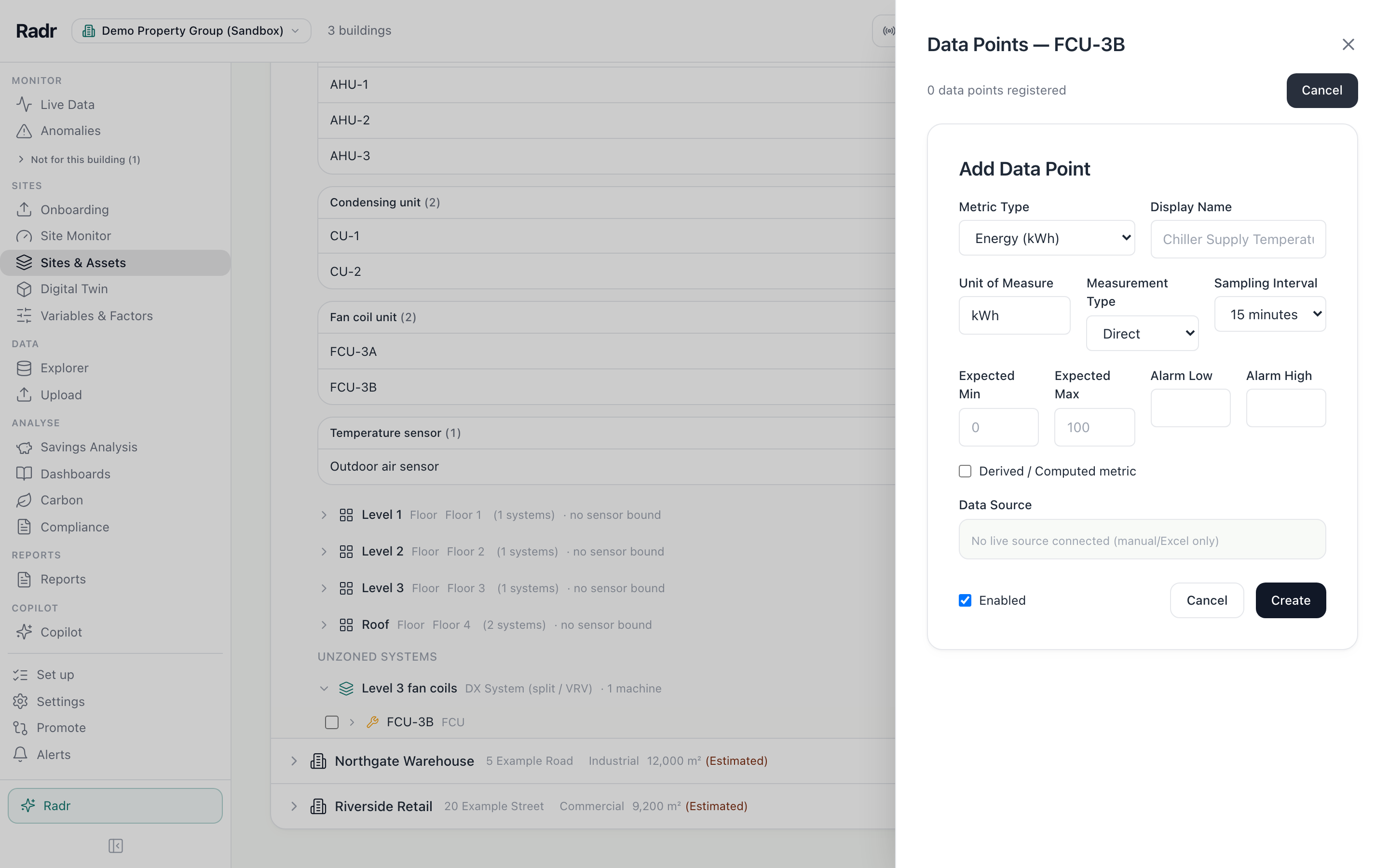
Step 4: Register what it measures
On the machine’s row, choose Data points, then Add Data Point. Choose what it measures and how often a reading arrives, then choose Create.
What you’ll see
- The machine appears under its system, and readings for it are attributed to it on every screen.
Troubleshooting
- The row’s buttons are missing.
- They appear when you hover over the row.
- I chose the wrong type.
- Choose Edit equipment on the machine’s row and change it.
Last verified against Radr on 28 September 2026. Screenshots show the real product with a simulated estate; every name and reading in them is invented.
Set up levels and zones
Add a building’s levels and rooms in Sites & Assets, give each level a floor number, and place systems in them so the Levels drawing shows where everything is.
AssetsRecord a retrofit on equipment
Record work done on a machine, such as a coil clean or a replacement, with the date and what the record rests on, so analysis can tell before from after.
AssetsStuck on a step?
Tell us which guide and which step, and we will help, then fix the guide.