Choose an IPMVP option
What IPMVP Options A, B, C and D mean for a project, how Radr decides which option a result may claim, and where to declare how your building is verified.
Before you start
- Option A isolates the retrofit and measures its key parameter; the rest is agreed in advance.
- Option B isolates the retrofit and measures everything it affects.
- Option C compares the whole facility’s metered energy before and after.
- Option D calibrates a simulation of the building against measured data.
Steps
Step 1: Declare how the building is verified
On Variables & Factors, choose the building. Under M&V method, choose how it is verified and say why in your own words. Only an Admin can declare it; everyone can see it.
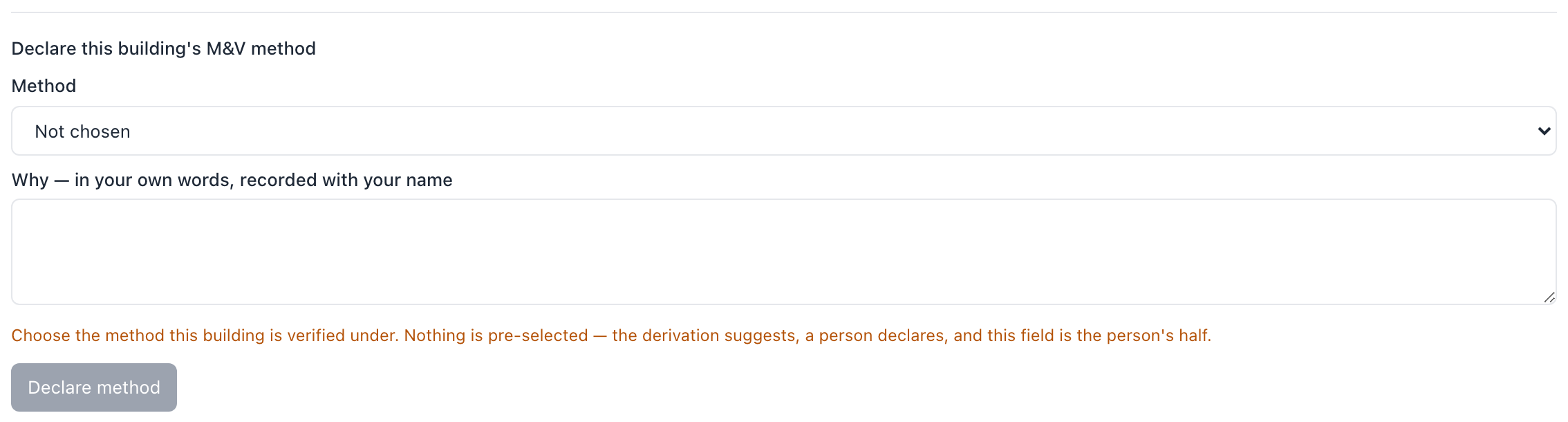
- Nothing is chosen for you, even when Radr suggests a method.
Step 2: See where each option runs
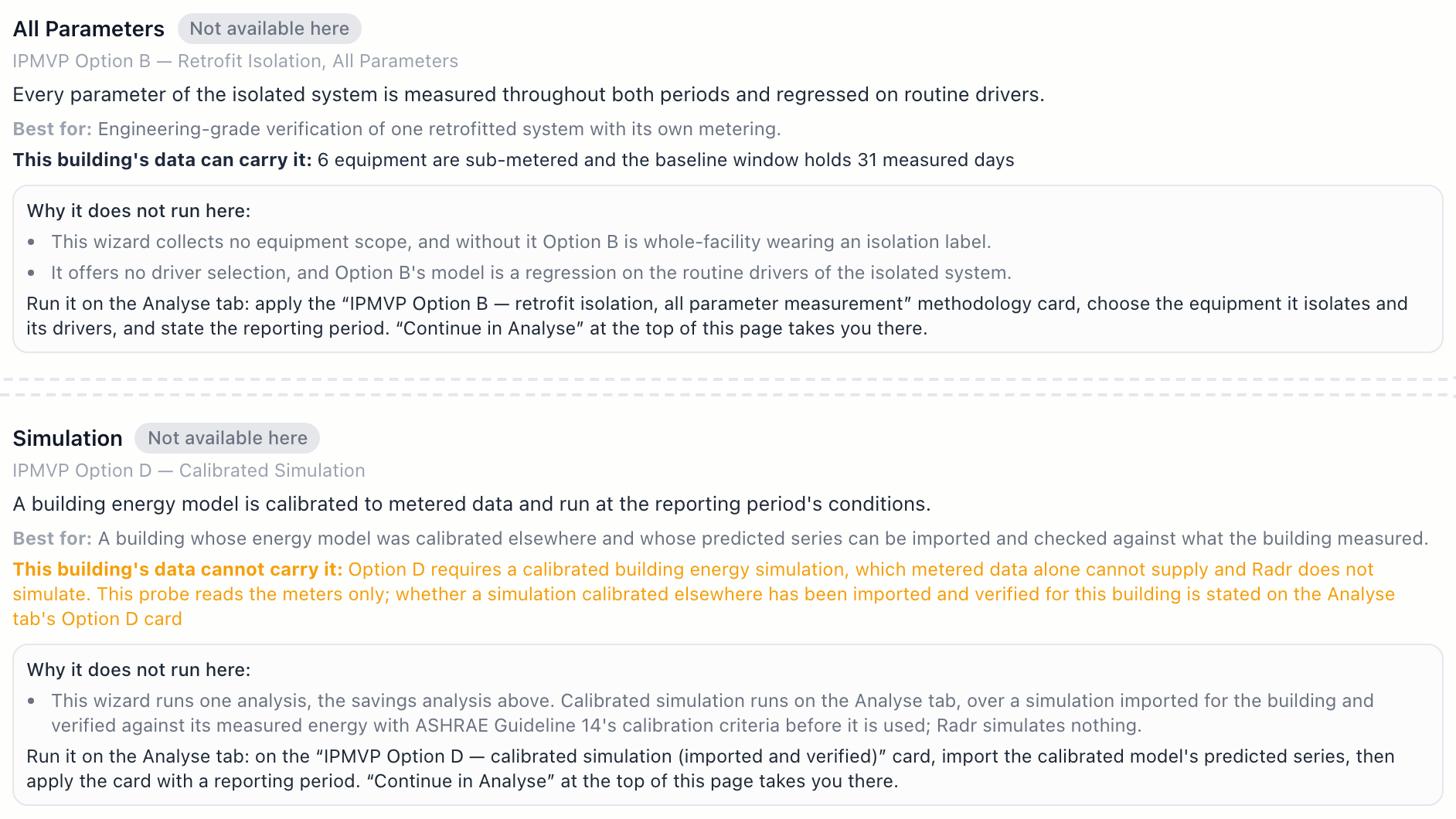
In Savings Analysis, the Guided tab’s second step lists the IPMVP options beside its own before-and-after comparison. Each card says what the option is for, whether it runs there, and, if not, where it does and what it needs.
What you’ll see
- A result names an IPMVP option only when the building’s declared method and data support it. Otherwise it says that no option is claimed.
Troubleshooting
- A result says no IPMVP option is claimed.
- Declare the building’s M&V method, and check the building measures what that option needs.
- I cannot change the M&V method.
- Declaring it needs the Admin role.
Last verified against Radr on 28 September 2026. Screenshots show the real product with a simulated estate; every name and reading in them is invented.
Establish a baseline
Fit a baseline for a building in Savings Analysis: declare when it is occupied, apply a methodology card, fit it over a window and read the verdict it earns.
Savings and M&VChoose between Guided, Analyse and Saved
Savings Analysis has three tabs: Guided walks you through a before-and-after comparison, Analyse gives you every setting, and Saved keeps the runs you trust.
Savings and M&VGenerate a report
Generate a PDF or slide deck in Reports: choose the building, the report type and the period, then download it, or schedule it for regular delivery.
Savings and M&VStuck on a step?
Tell us which guide and which step, and we will help, then fix the guide.