Add your first building
Add a building to Radr from Sites & Assets: its name, address, country and time zone, and its floor area with where the figure came from, so intensities hold up.
Before you start
- A workspace. See Create your Radr workspace.
- The building’s address and, if you have it, its gross floor area and where that figure came from.
Steps
Step 1: Open Sites & Assets
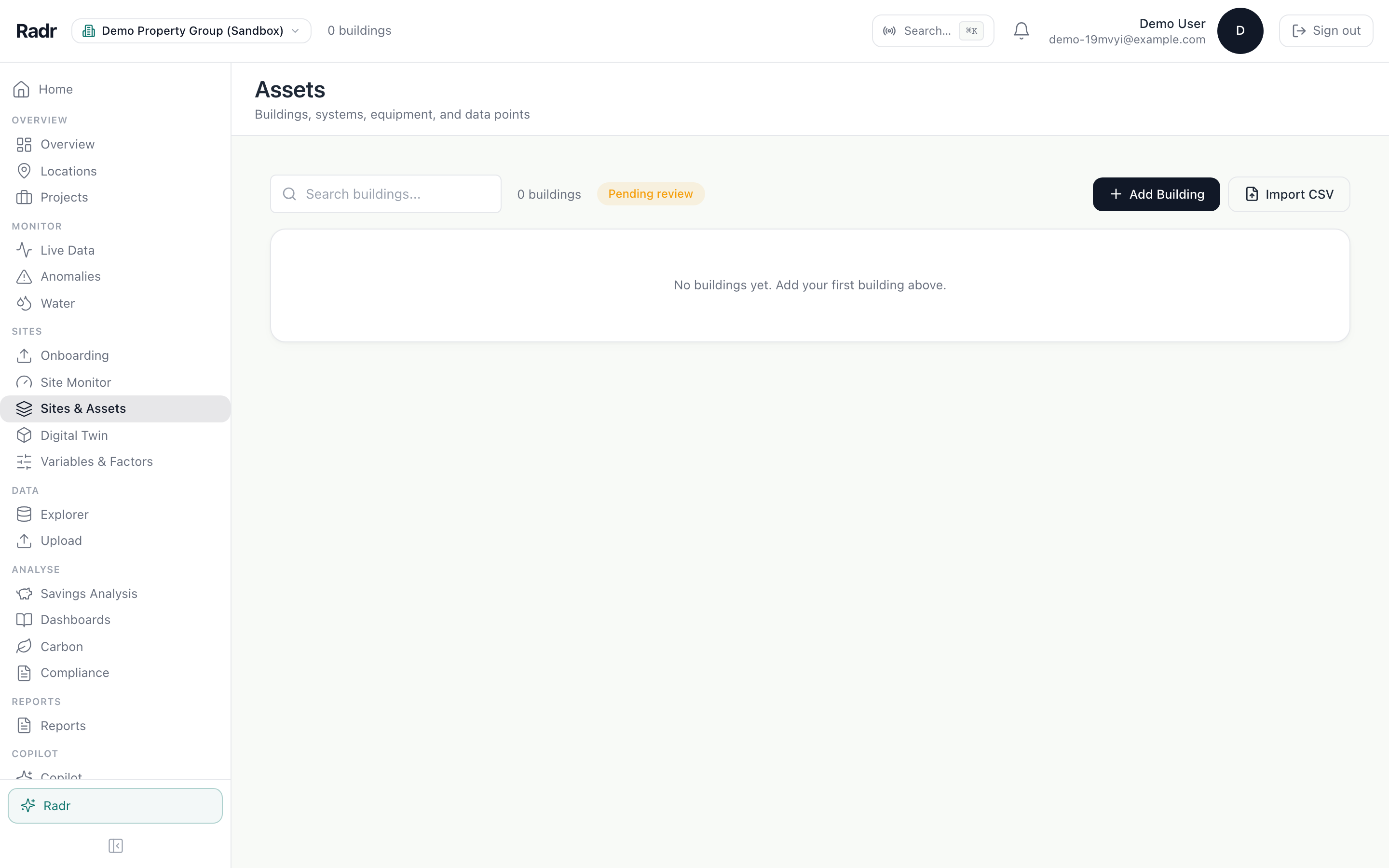
In the navigation on the left, under Sites, choose Sites & Assets. A new workspace has no buildings yet.
Step 2: Fill in the building form
Choose Add Building. Enter the name and address. Country and time zone are optional; set the time zone when the building keeps a different clock from your workspace. If you enter a floor area, say in How obtained? where the figure came from.

- How obtained? appears once you type a floor area.
- An area marked as a placeholder makes every intensity figure from it read as not reportable.
Step 3: Create it
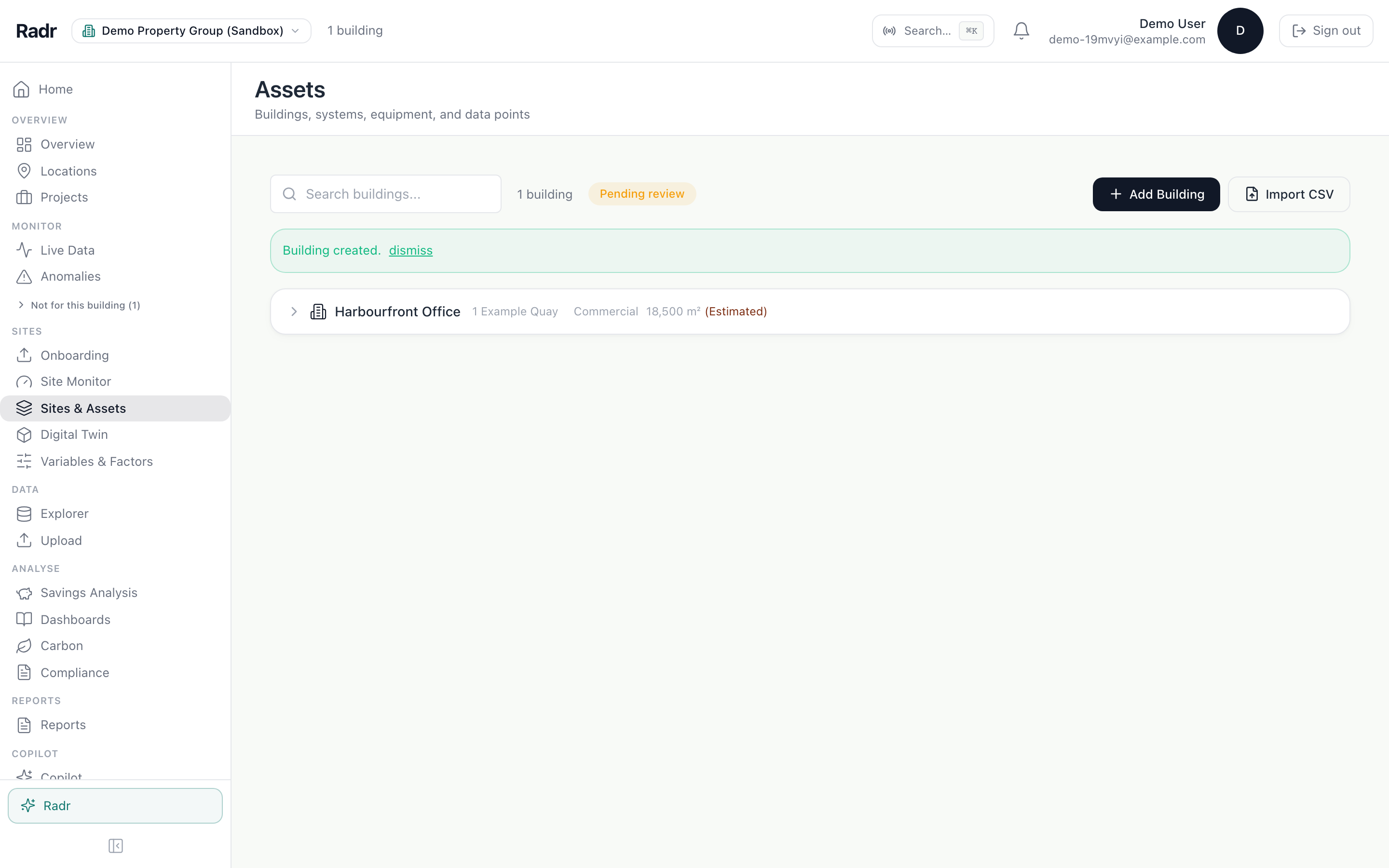
Choose Create. The building appears in the list, ready for its levels, systems and equipment.
What you’ll see
- The building appears in Sites & Assets and in every building picker in Radr.
- Every intensity figure that divides by the floor area says how the area was obtained.
Troubleshooting
- Radr will not accept the floor area.
- Choose where it came from in How obtained?. An area with no stated basis is refused.
- There is no Add Building button.
- Adding buildings needs the Admin role. Ask an Admin in your workspace.
- Figures for the building use the wrong day boundary.
- Edit the building and set its time zone. Without one it uses the workspace’s.
Last verified against Radr on 28 September 2026. Screenshots show the real product with a simulated estate; every name and reading in them is invented.
Set up levels and zones
Add a building’s levels and rooms in Sites & Assets, give each level a floor number, and place systems in them so the Levels drawing shows where everything is.
AssetsAdd equipment and its data points
Add a system and its equipment to a building in Sites & Assets, then register what each machine measures, so every reading is attributed to the right machine.
AssetsInvite a colleague and choose their role
Invite colleagues to your Radr workspace by email, give each a role that sets what they may do (Admin, Manager, Analyst or Viewer), and change it later.
Getting startedStuck on a step?
Tell us which guide and which step, and we will help, then fix the guide.