Enter monthly readings by hand
Type monthly energy, water and gas figures from your utility bills into Radr when a building has no meter feed, so it still counts in your totals and trends.
Before you start
- The building, with a system under it in Sites & Assets. A main meter will do.
Steps
Step 1: Open Upload
Under Data, choose Upload. The Upload tab opens, with Manual Data Entry at the top.
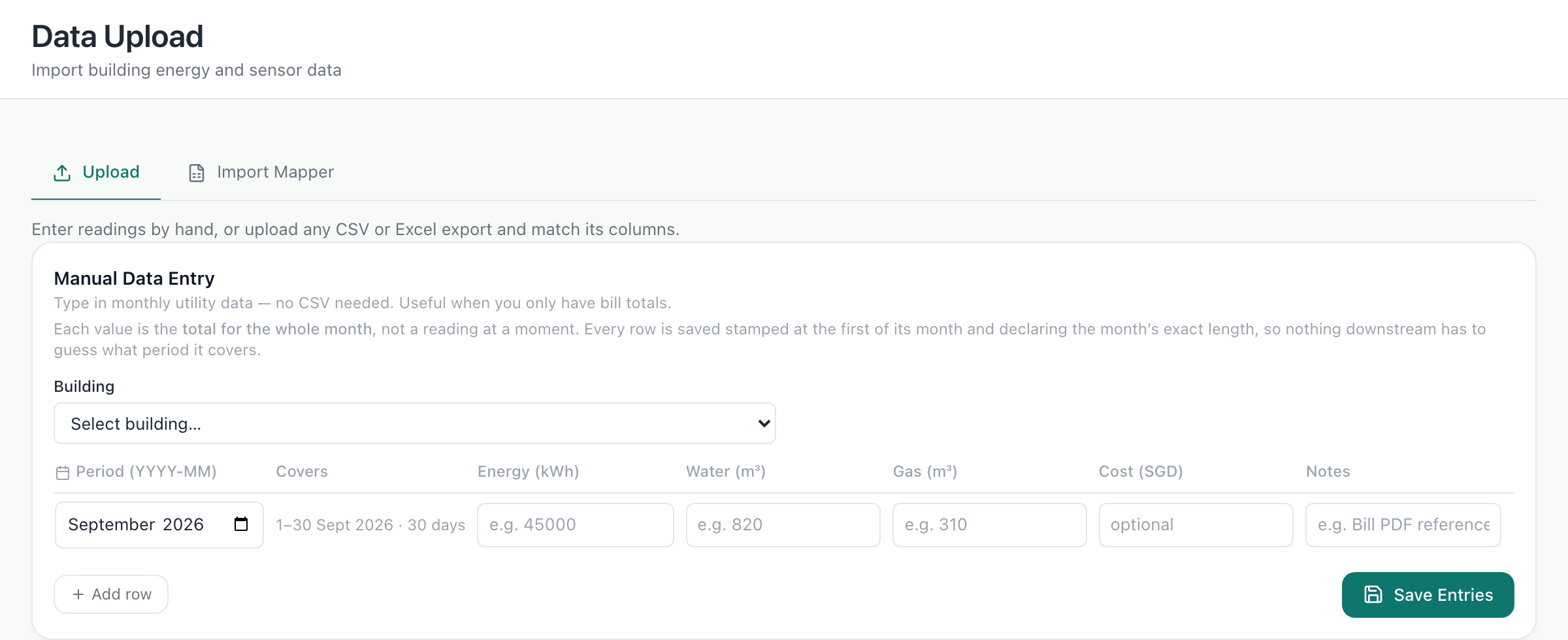
Step 2: Enter a month’s figures
Choose the building and the month, then type the energy used in kWh, and water and gas if you have them. Add a note saying where each figure came from, such as the bill. Add row adds another month; Save Entries stores them.
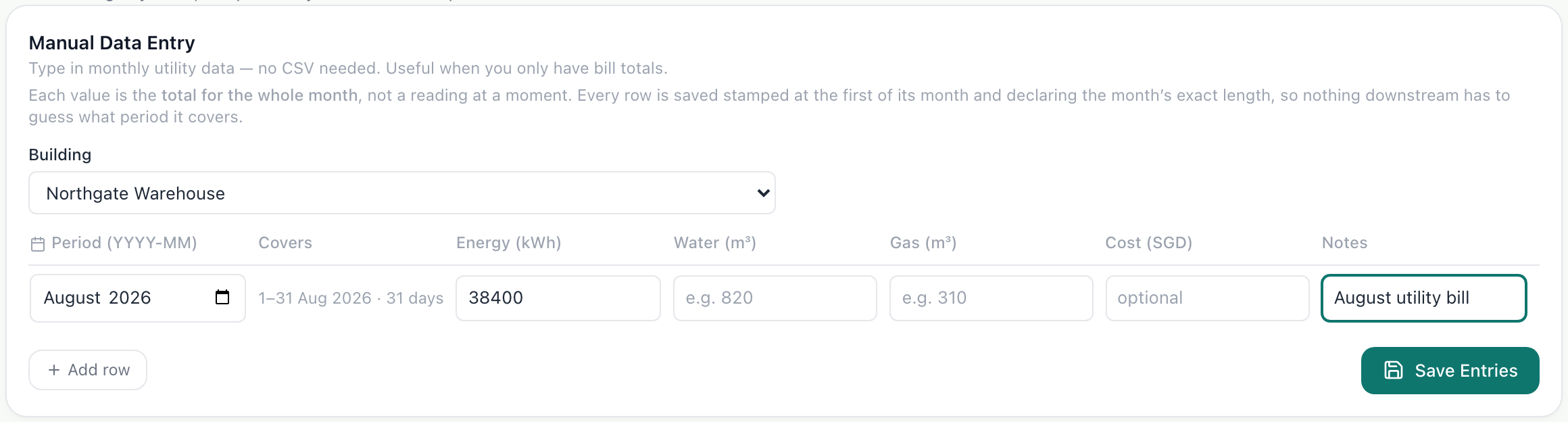
What you’ll see
- The monthly figures count towards the building on Overview and Locations.
- Each entry keeps its note, so anyone checking a figure can find the bill it came from.
Troubleshooting
- The form says the building has no asset yet.
- Add a system to the building in Sites & Assets, for example its main meter, then come back.
- I have readings every few minutes, not monthly bills.
- Connect the meter or monitor instead. Hand entry is for monthly figures.
Last verified against Radr on 28 September 2026. Screenshots show the real product with a simulated estate; every name and reading in them is invented.
Upload a data file
Upload a CSV or Excel file of readings to Radr. The upload screen is changing, so this guide is being rewritten and will return with screenshots when it has.
Connecting dataAdd your first building
Add a building to Radr from Sites & Assets: its name, address, country and time zone, and its floor area with where the figure came from, so intensities hold up.
Getting startedRead the Overview
Use the Overview to see one building’s energy over a period you choose: the total, the daily trend and which kinds of equipment used it, with each figure’s basis.
MonitoringStuck on a step?
Tell us which guide and which step, and we will help, then fix the guide.