Create your Radr workspace
Register for Radr, confirm your email address and create the workspace that will hold your buildings, readings and colleagues, with its time zone and currency.
Before you start
- A work email address you can receive mail at.
Steps
Step 1: Open Radr and choose Create an account
Open the Radr address your organisation was given. Below the sign-in form, choose Create an account.
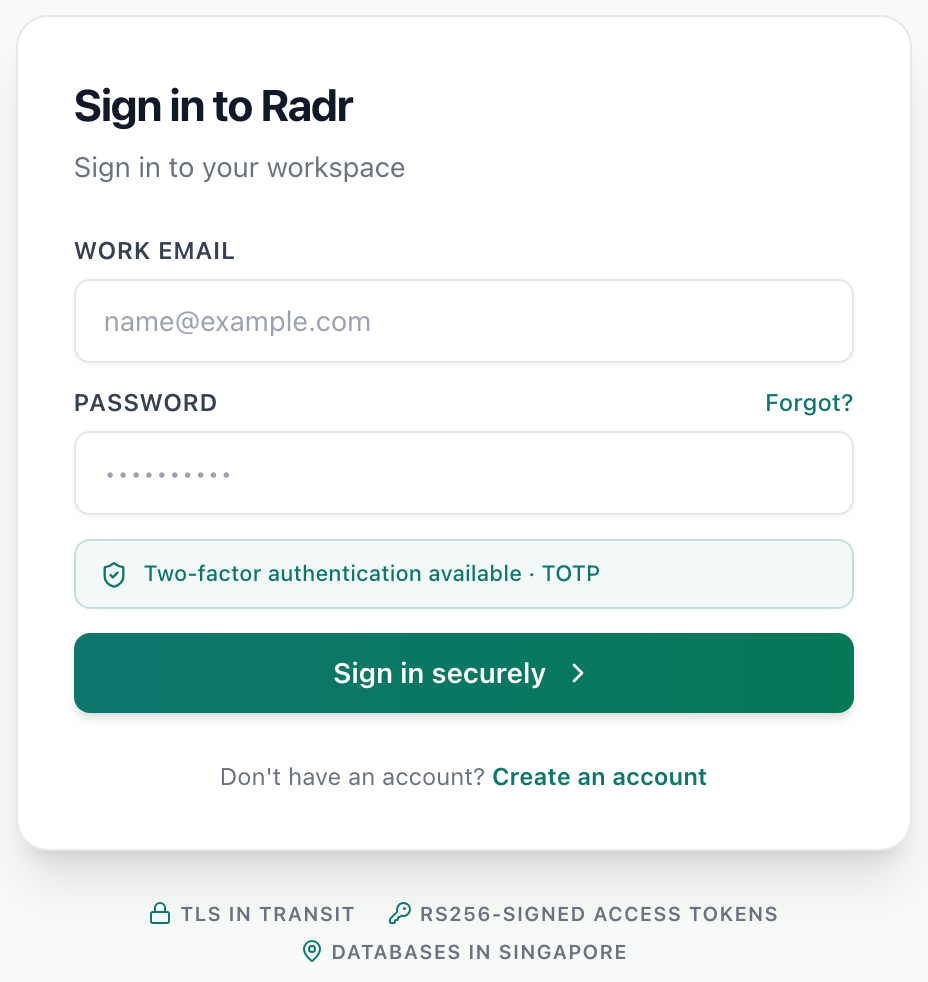
- Create an account sits beneath the sign-in form.
Step 2: Enter your details
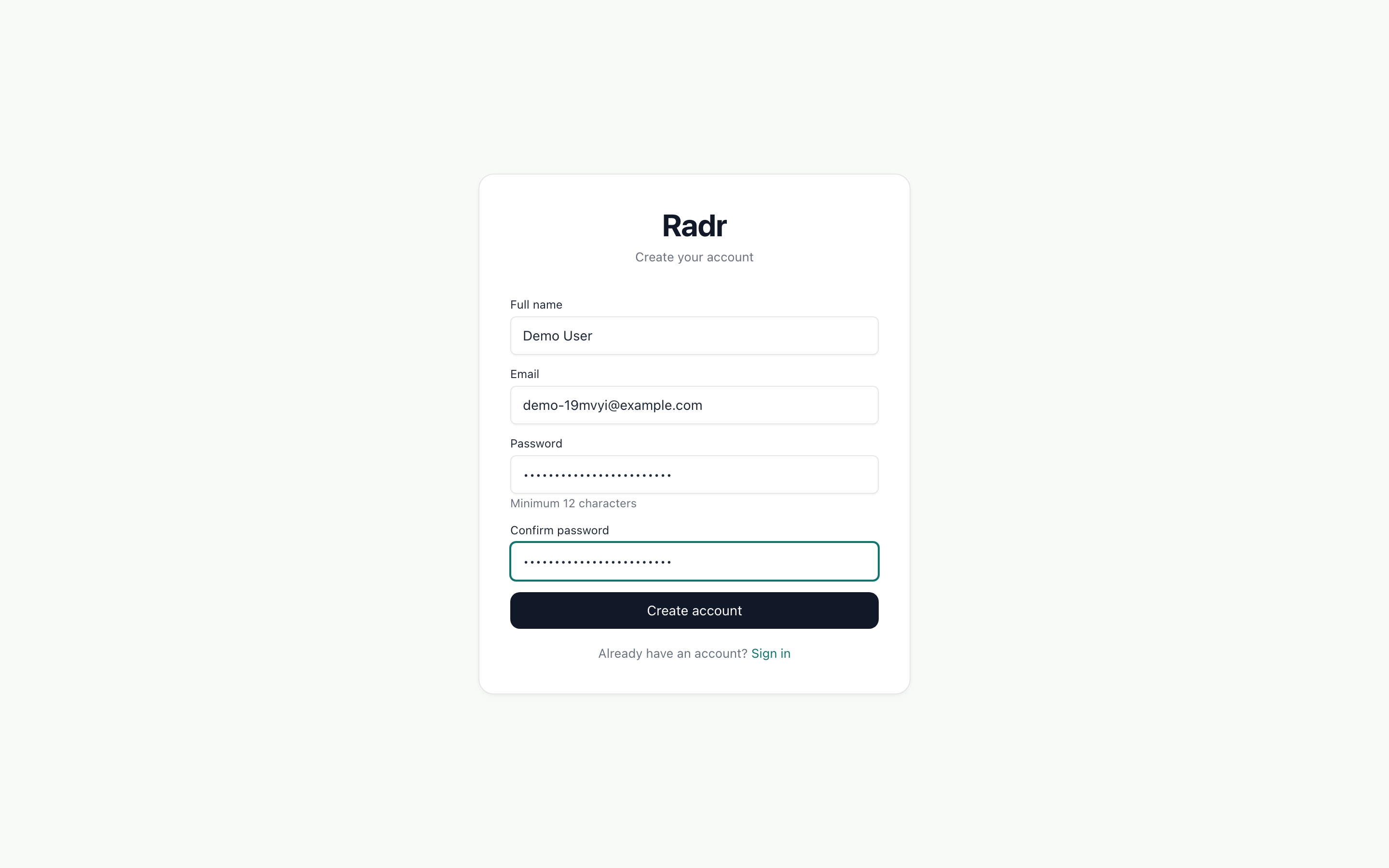
Enter your full name, your work email, and a password of twelve characters or more, twice. Then choose Create account.
Step 3: Confirm your email address
Sign in. Radr asks you to confirm your address before you can create a workspace, and emails you a link. Open the link: it confirms the address and brings you back to Radr.
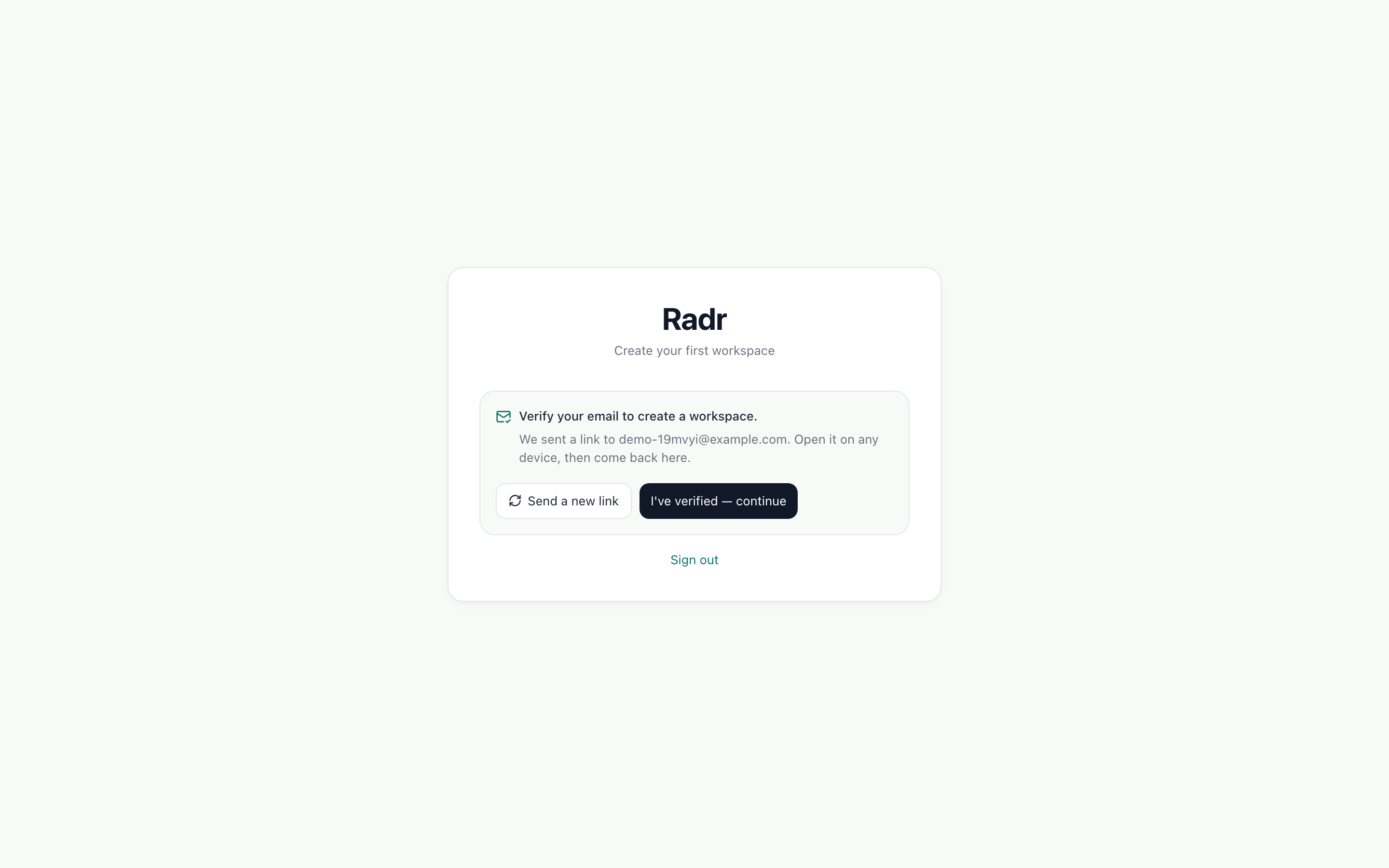
- If the email has not arrived, Send a new link sends another.
Step 4: Name your workspace
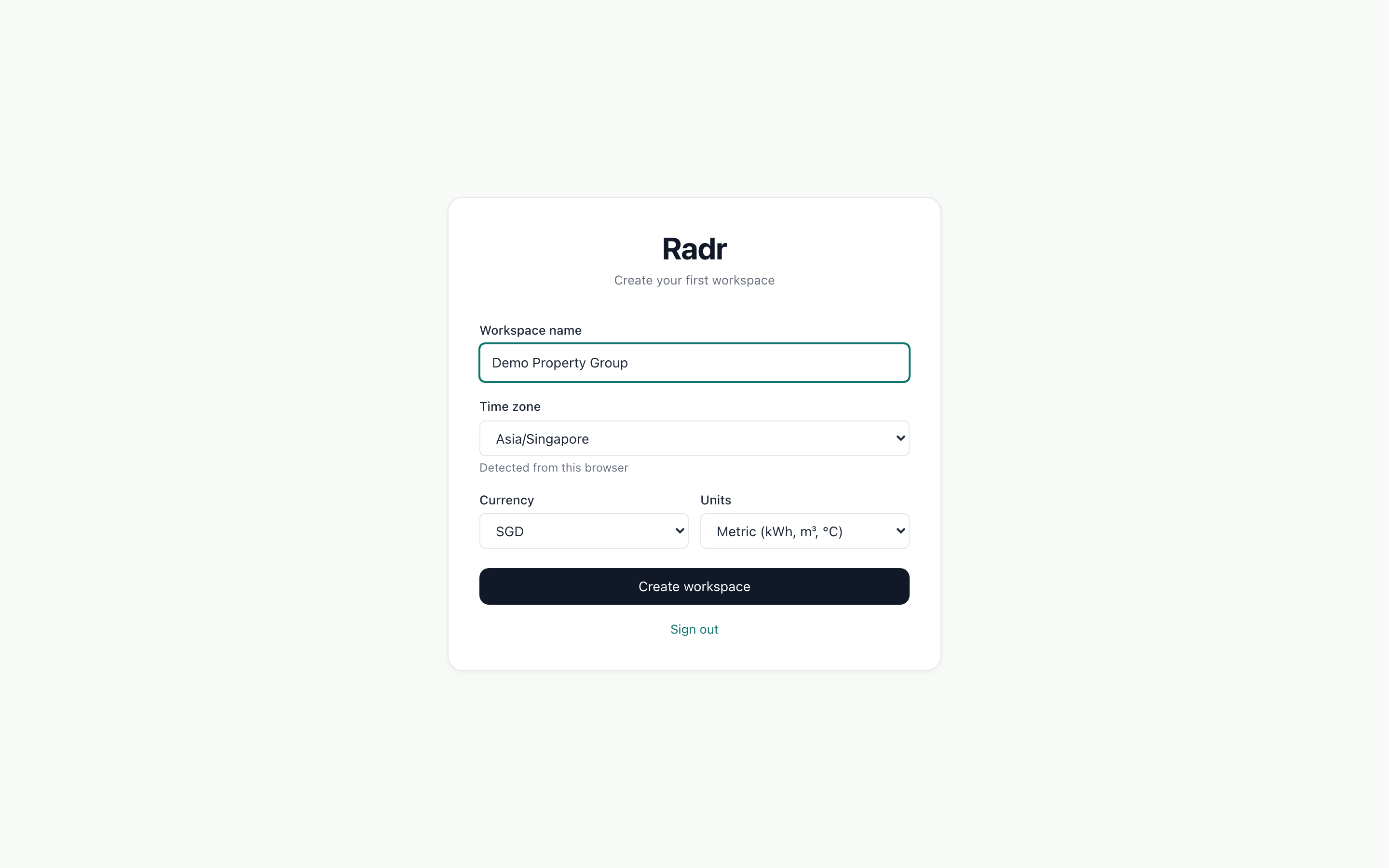
Give the workspace your organisation’s name and choose its time zone, currency and units. Radr does not guess the currency, so choose one. Then choose Create workspace.
Step 5: Start from Home
Radr opens on Home, which answers two questions each morning: is the data flowing, and is anything wrong? A new workspace has no building yet, so Home offers to set one up.

What you’ll see
- Your workspace’s name appears in the workspace switcher at the top of every page.
- You are its owner, with the Admin role.
- Radr also creates a Sandbox workspace beside it for trying things safely. It sits under your workspace in the switcher.
Troubleshooting
- The confirmation email has not arrived.
- Check your spam folder, then choose Send a new link on the notice. Use the newest link: older ones stop working.
- The link says it can’t be used.
- It has expired or was already used. Sign in again and send a new link from the notice.
- Create workspace does nothing.
- Check that a currency is chosen. It has no default, because Radr will not assume one.
Last verified against Radr on 28 September 2026. Screenshots show the real product with a simulated estate; every name and reading in them is invented.
Add your first building
Add a building to Radr from Sites & Assets: its name, address, country and time zone, and its floor area with where the figure came from, so intensities hold up.
Getting startedInvite a colleague and choose their role
Invite colleagues to your Radr workspace by email, give each a role that sets what they may do (Admin, Manager, Analyst or Viewer), and change it later.
Getting startedStuck on a step?
Tell us which guide and which step, and we will help, then fix the guide.